Calling selectors
Dial Pad, Touch Tone, SOS Button, Loudspeaker and Ask before dialling.
Review the free calling, display and layout controls and the four features unlocked by Advanced.
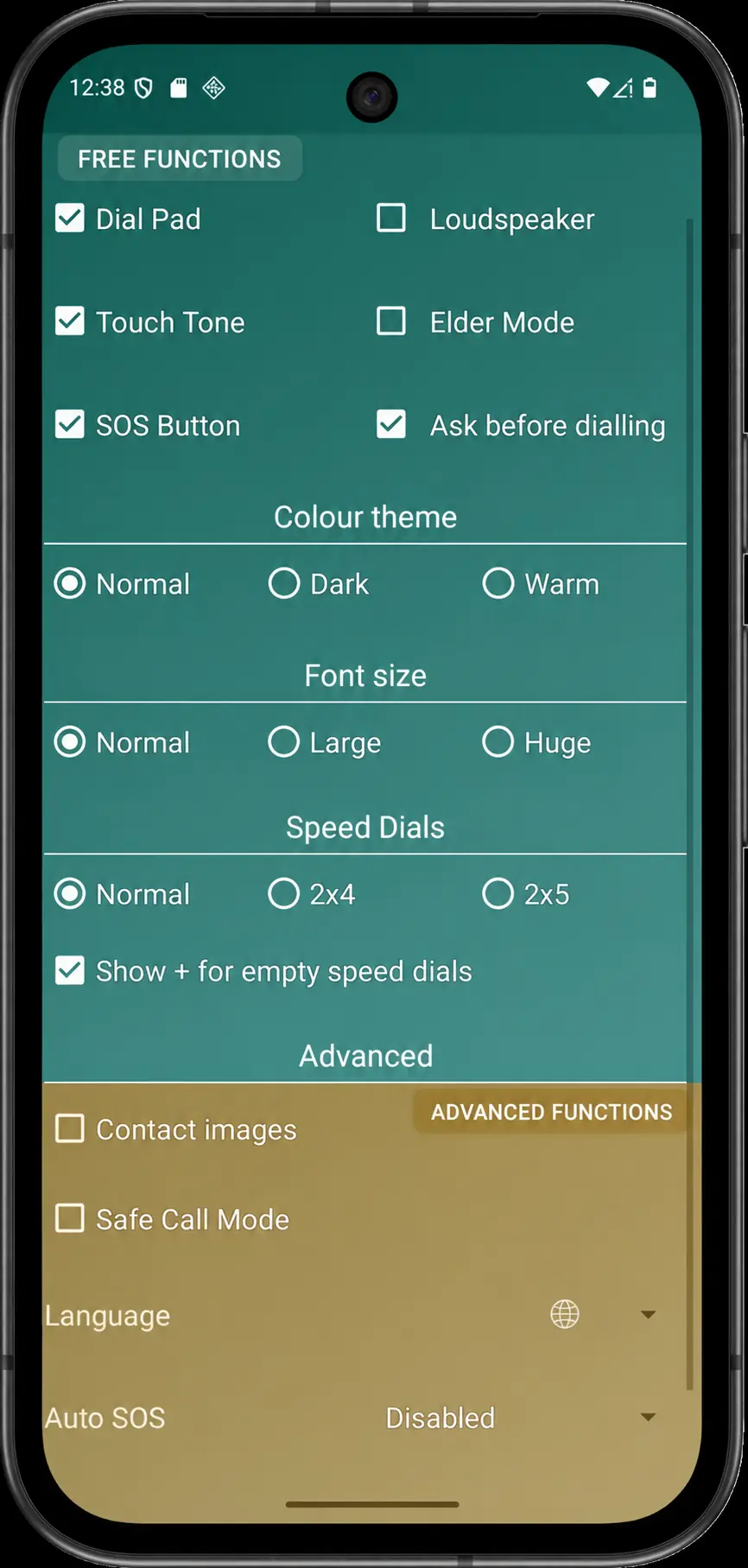
Free options
These controls remain available without the one-time Advanced purchase.
Dial Pad, Touch Tone, SOS Button, Loudspeaker and Ask before dialling.
Normal, Dark/high-contrast and Warm themes, plus Normal, Large and Huge app fonts.
Choose 6, 8 or 10 positions and whether editable empty positions display a + action.
A free focused mode using Android screen pinning, with an app-owned battery and connectivity header.
Advanced options
Production price and public availability will be confirmed from the live Google Play listing.
Show current resolved photos with text or initials fallbacks.
Contact imagesUse system language or choose one of seven named languages.
LanguageChoose Disabled, 10, 15, 20, 30 or 45 seconds and continue or cycle until stopped.
Auto SOSFilter unmatched, invalid or private incoming numbers when usable Contacts access is available.
Safe Call Mode